
CRM for coaching institutes that fill batch after batch
DigiPix Flow is a CRM for coaching institutes whose enquiries for the next intake arrive from Meta ads, course pages and last Sunday's webinar list, while parents follow up on WhatsApp. It puts every enquiry in one list, shares it fairly between counsellors, logs each counselling call with its next step, and keeps interested students warm with consent-checked nurture until they are ready to enrol.
- Every enquiry shared between counsellors by your rules
- A next step booked after every counselling call
- Nurture that stops when a student or parent replies

 Sneha Nair
- first-contact timer on every new enquiry
- 30 min
- channels in one nurture sequence: email, WhatsApp, SMS
- 3
- consented members per segment message
- 500
What your admissions team works with
- Meta lead formsCourse ads on Facebook and Instagram
- Course page formsHosted or embedded on your website
- Webinar listsSeminar and webinar sign-ups by CSV
- Counselling callsLogged with a result and a callback
- Parent conversationsWhatsApp, SMS and email on the lead
- Intake segmentsEnquiries grouped by source and status
Enquiries split across counsellors' sheets
The Meta ad leads sit in one spreadsheet, the webinar list in another and walk-in names in a notebook. Two counsellors call the same student, a third enquiry is never called, and nobody can say which of the three happened until a parent complains.
Conversations locked in personal phones
Parents message a counsellor's own WhatsApp number with questions about the batch. When that counsellor is on leave or moves on, the whole history of what was promised leaves with their phone, and the family starts again with someone new.
Interest that goes quiet before the batch starts
A student who enquires in March may only decide in June. Without a planned sequence of reminders, keeping hundreds of families warm depends on counsellors remembering, and the busiest weeks before an intake are exactly when they forget.
Every student enquiry for the next intake in one list
Connect your Meta lead forms, publish a form on each course page or share it as a hosted link, and import the sign-up sheet from last weekend's webinar as a CSV file. Each lead arrives labelled with where it came from, and a student who fills your website form after answering an ad is flagged as a possible duplicate for someone to review, so two counsellors don't end up calling the same family.
- Meta lead forms delivered with their lead source and tags
- Website forms as a hosted link, an embed or a signed post
- Webinar and seminar lists imported from a CSV file
- Matching email or phone flagged as a possible duplicate


Share enquiries between counsellors by your own rules
Assignment rules run in the order you set and read a lead's source, score, tags or segment. Send NEET enquiries round robin across your medical counsellors, give JEE leads to whoever has the fewest open, and keep one senior counsellor on every enquiry from a scholarship test. Rules can wait for working hours, a default owner catches anything unmatched, and a clock starts on every new enquiry.
- Fixed, round robin, weighted or least-loaded sharing
- Rules that read source, score, tags and segment
- Working hours respected, with a default owner as fallback
- Assign within 2 minutes, first contact within 30

Log the counselling call, and the next step books itself
After each call, a counsellor picks what happened from nine call results. If the student didn't pick up or was busy, a callback is set for three hours later; if a parent asked you to call back later, it lands the next day; if the family is still deciding, it comes up in a week. Demo sessions and meetings are follow-ups too, on the same timeline.
- Nine call results, chosen when a call is logged
- Automatic callbacks after busy or unanswered calls
- Follow-ups for calls, WhatsApp, meetings and demos
- Every call and note on the student's timeline
Course, batch and city on every enquiry
Add lead fields for the details admissions depend on: a select field for the course, another for the preferred batch, a text field for the city and a date for the board exam. Answers to those questions on a Meta lead form go straight into the matching field, counsellors fill the rest during the call, and any field can become a column on the Leads list.
- Select fields for course and preferred batch
- Meta form answers mapped into your lead fields
- Lead statuses named for your counselling steps
- Fields shown as columns on the Leads list
A segment for each intake, counted before you message it
Build a dynamic segment such as NEET 2027 enquiries from rules on lead source, status and the date a lead was created, and its members follow your data. For a hand-picked list, like the families who attended an open day, create a static segment. Preview shows how many match and how many have agreed to be contacted, and a message reaches up to 500 consented members.
- Rules on source, status, score, owner and dates
- Static lists added by picking, CSV or a saved view
- Members and consented counts shown before you save
- Email, WhatsApp or SMS to up to 500 consented members
Keep interested students warm until they decide
Write the nurture plan once as a sequence: a thank-you email with the batch details, a WhatsApp message two days later, a text before the scholarship test. Enrol the leads you choose and each step waits the hours you set. When a student or parent genuinely replies, their sequence stops, and consent and opt-outs are checked again before every WhatsApp and SMS step.
- Email, WhatsApp and SMS steps with waits in hours
- Stops on a genuine reply, ignoring out-of-office messages
- Consent checked again before WhatsApp and SMS steps
- Automated sends held overnight, 21:00 to 08:00 by default
Parent conversations on the lead, not on a counsellor's phone
Connect your institute's WhatsApp Business number and conversations with students and parents are matched to the lead or contact holding that phone number, beside email and SMS in one shared inbox. When a family hasn't written in 24 hours, reps pick an approved template. A reply of STOP records the opt-out and adds the number to do-not-contact.
- WhatsApp, SMS and email conversations in one inbox
- Threads matched to the lead holding the phone number
- Approved templates once the 24-hour window closes
- STOP replies recorded as opt-outs automatically
An admissions pipeline from counselling to enrolled
When a counselled enquiry is serious, convert it into a deal and name your stages the way admissions really runs: Counselling, Demo class, Application and Enrolled. A stage can insist on a next step booked before a deal moves in, a lost enrolment asks for a reason from your list, and reports show leads by source and value by stage, scoped to what each person may see.
- Stages renamed for counselling, demo class and application
- Stage requirements checked before a deal moves
- A reason from your list for every lost enrolment
- Leads by source and pipeline by stage, saved and scheduled


From a course enquiry to an enrolment, in five steps
- STEP 01
Capture every enquiry
Meta lead forms, course page forms and webinar lists arrive in one list.
- STEP 02
Route to a counsellor
Assignment rules share enquiries by source, within working hours.
- STEP 03
Counsel and log the call
Pick the call result, and the callback or demo follow-up is booked.
- STEP 04
Nurture the undecided
A sequence of email, WhatsApp and SMS steps stops when they reply.
- STEP 05
Move to enrolled
Convert to a deal and take it through your admission stages.
DigiPix Flow vs spreadsheets and personal WhatsApp
| What it covers | Spreadsheets and personal WhatsApp |  DigiPix Flow DigiPix Flow |
|---|---|---|
| Where enquiries are kept | A sheet per campaign and a notebook for walk-ins | One lead list, each enquiry labelled with its source |
| Who calls whom | Counsellors pick names from a shared sheet | Assignment rules share every enquiry by your rules |
| The next call | Remembered, or written beside a name | Booked from the call result, with a reminder |
| Parent conversations | On each counsellor's own phone | On the lead, in a shared inbox the team can read |
| Staying in touch before the batch | Reminders sent when someone finds time | A nurture sequence that stops on a genuine reply |
| Opt-outs | A note in a column, if anyone records it | Consent and do-not-contact checked before sending |
| Batch intakes | Tracked on paper and counted by hand | Enrolment stages on a pipeline, with reports by source |
Connect the channels your enquiries come from
Bring in enquiries from your ads, course pages and webinar lists, and talk to students and parents on the channels they already use.
Coaching and education questions, answered
Can enquiries from our Meta ads and course page forms land in one place?
Yes. Meta lead forms connect with a Facebook login, and website forms can be published as a hosted link, an embed on your course page or a signed post from your own site. Every enquiry lands in the same lead list, labelled with its source, and one that matches an existing lead's email or phone is flagged for review.
We run free webinars and seminars. Can we bring the attendee list in?
Yes, as a CSV file. Match the columns for name, email, phone and lead source, and add consent columns if your list recorded it and your workspace accepts consent from import files. Imported leads belong to whoever ran the import, unless you tick the option to route them through your assignment rules so they are shared like any new enquiry.
How are enquiries shared between our counsellors?
With assignment rules you put in order. Each rule can match a lead's source, score, tags or segment and share the enquiry round robin, weighted, to whoever has the fewest open leads, or always to one person. Rules can wait for working hours, and a default owner picks up anything no rule matches.
Do WhatsApp messages from parents create new enquiries?
No, WhatsApp does not create leads. Once your institute's WhatsApp Business number is connected, messages are matched to the lead or contact that holds the sender's phone number, so a parent's questions appear on the right enquiry for the whole team to see.
Can we record the course and batch each student is interested in?
Yes. Add lead custom fields such as a Course select field and a Preferred batch field. Answers on a Meta lead form can be mapped straight into them, counsellors can fill them during a call, and a field can be shown as a column on the Leads list. Website forms and CSV imports fill standard lead fields, such as lead source and tags, rather than custom fields.
Does nurture stop once a student replies?
Yes, when Stop on reply is switched on, which it is by default for new sequences. Only replies received after the student was enrolled count, and out-of-office messages, bounces and spam are ignored. You can also stop one enrolment by hand after a counsellor speaks to the family.
How is consent handled for students and parents?
Website forms can carry a consent box with your notice above it, never ticked in advance, and the notice, time and browser are recorded when it is ticked. Consent and your do-not-contact list are checked before marketing and outreach messages go out, and a STOP reply on SMS or WhatsApp records the opt-out.
Can we message everyone who enquired for one intake?
Yes. Build a segment for the intake and send an email, WhatsApp message or SMS to it. Before sending you see how many members can receive it on that channel, and it goes to up to 500 members who have agreed to be contacted, with everyone else skipped.
What happens after a student enrols?
DigiPix Flow's job ends at the enrolment decision. Mark the deal won with a close date and it counts towards your win rate. Payments, classes and study material stay in the systems your institute already uses.
Something we haven't covered? Talk to an expert
Keep exploring
Visit the blog- PRODUCTEvery lead in one inboxCapture, duplicate checks, assignment rules and response timers for every source.See how it works
- FEATURESSequences and campaignsEmail, WhatsApp and SMS steps that stop when someone genuinely replies.Explore the feature
- FEATURESSegmentsDynamic and static lists with consent counts, ready to message.Explore the feature
- FEATURESActivities and follow-upsCall results, automatic callbacks and a timeline on every record.Explore the feature
- SOLUTIONSReal estate CRM for site visitsHow property teams run site visits and follow-ups on the same product.See the solution
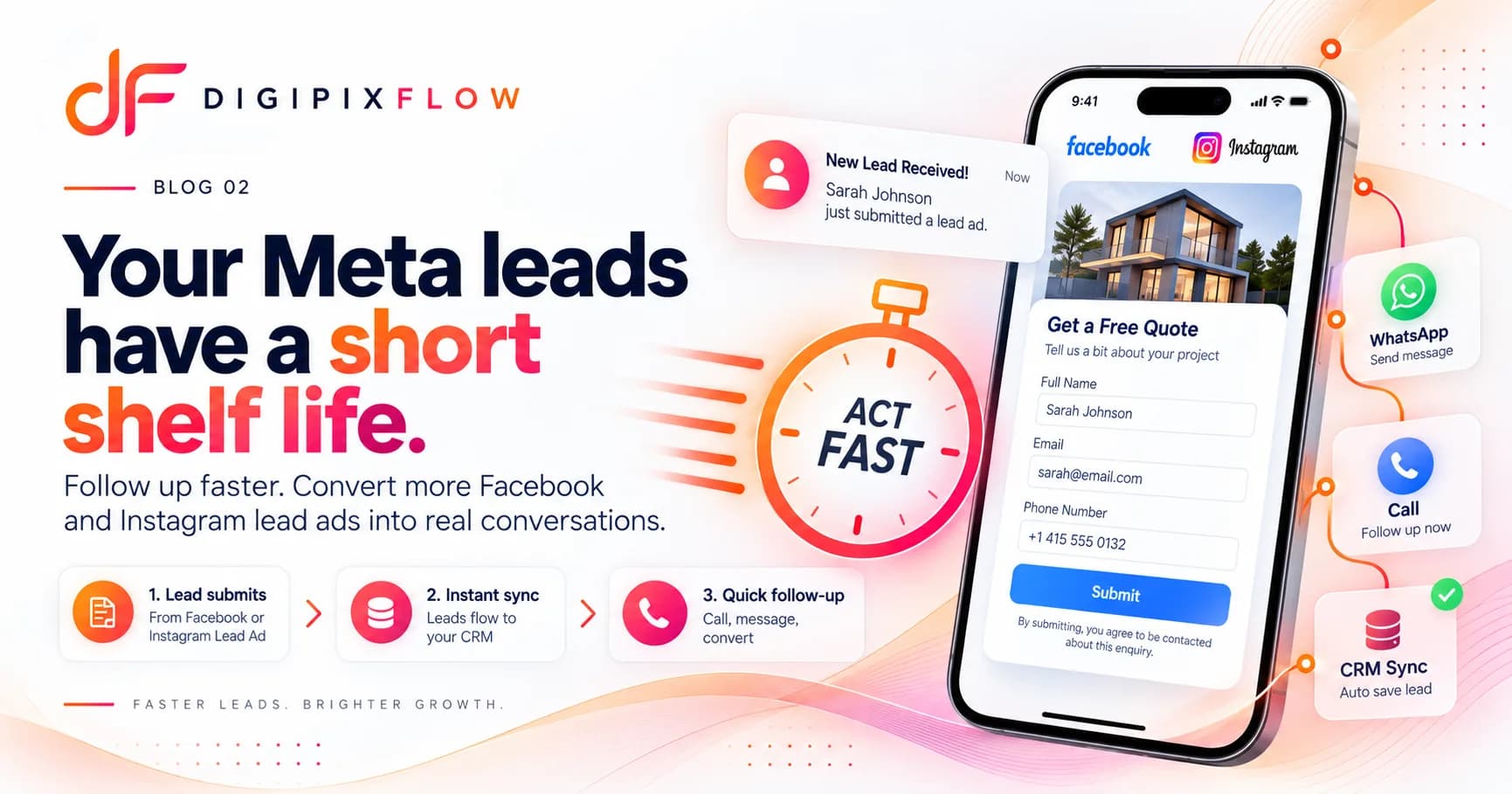 GUIDEHow to Follow Up on Facebook and Instagram Lead Ads Before They Go ColdA seven-step follow-up process, a two-week cadence and scripts you can use today.Read the guide
 GUIDEReal Estate Follow-Up Scripts: What to Say on Calls and WhatsApp at Every StageReal estate follow-up scripts for Indian property teams: the exact words for the first call, a missed call, the day after a site visit, a price objection and a buyer who has gone quiet. Each stage has a call script and a WhatsApp message you can adapt.Read the guide

Give every enquiry for your next batch a counsellor and a next step
Talk to an expert — bring your enquiry sources and your counselling process, and see them set up the way your admissions team works.
- A real person, not a bot
- Bring your enquiry sources
- See your counselling steps set up