How to Follow Up on Facebook and Instagram Lead Ads Before They Go Cold
How you follow up Facebook leads decides whether they buy: Meta lead forms take one tap to submit, so people forget fast. Use this seven-step follow-up process, a two-week cadence and ready-to-use scripts to reach more of them.
By DigiPix Flow team · September 2026 guides, part 2 of 3
In this guide
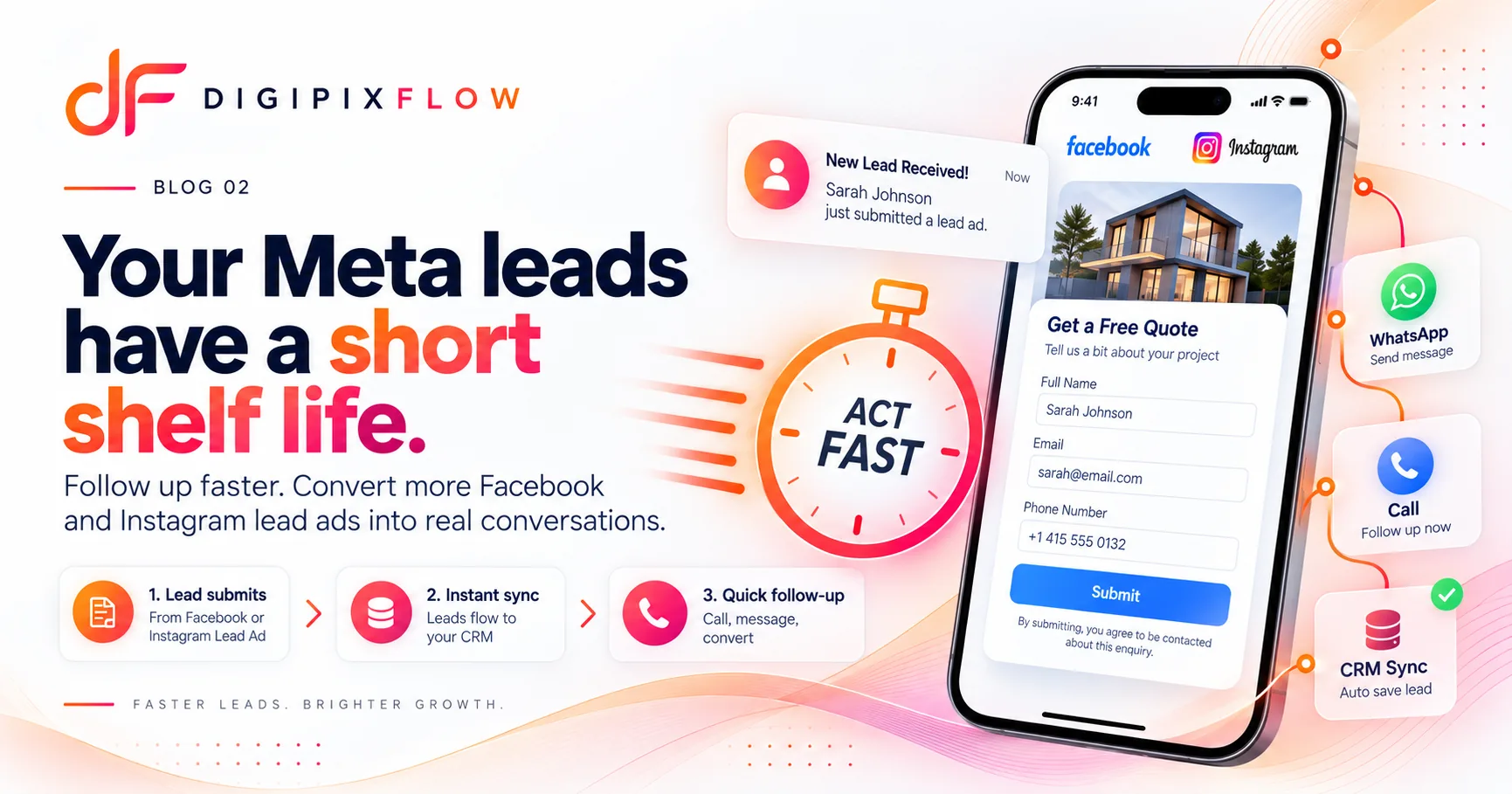
Meta lead ads are brilliant at one thing: collecting enquiries quickly. The form opens inside Facebook or Instagram, the person's details are already filled in, and one tap sends them to you. That convenience is also the problem. Many businesses find that when they follow up Facebook leads a day later, the person barely remembers enquiring, or doesn't answer at all.
The fix isn't necessarily better ads. It's a better follow-up process. This guide shows you how to follow up on Facebook and Instagram lead ads so more of them turn into real conversations.
Why Facebook and Instagram leads go cold so fast
Meta's instant forms remove almost all effort from enquiring. People scroll, see an offer, tap, and the form is submitted with their pre-filled name, phone and email. It takes seconds. That leads to three common problems:
- Low intent. Some people enquire out of curiosity, not because they're ready to buy.
- Short memory. By the next day, the person may not remember which business they enquired with, especially if they saw several similar ads.
- Competition. They may have tapped on ads from two or three competitors on the same evening.
None of this means Meta leads are bad. It means they need a follow-up process built for them.
Step 1: Get leads out of Meta automatically
Many businesses still download leads from Meta's Leads Center or Ads Manager as a spreadsheet once or twice a day. Every hour a lead sits there is an hour it cools down.
Instead, connect your Meta lead forms directly to your CRM, so each lead arrives within moments of being submitted, along with the campaign, ad set and form it came from. That campaign detail matters later, when you want to know which ads produce customers and not just leads.
Step 2: Route each lead to a person immediately
A lead in a shared inbox belongs to nobody. Set up rules that assign each Meta lead to a specific rep the moment it arrives, based on location, product, language or a simple rotation. The rep should get a notification straight away.
Step 3: Make first contact quickly, on two channels
For Meta leads, the first contact should happen as soon as possible, ideally while the person is still on their phone. Use two channels:
- Call first. A call is the fastest way to have a real conversation.
- If they don't pick up, send a WhatsApp message straight away. Many people won't answer unknown numbers but will read a message. Tell them who you are and why you're contacting them.
First WhatsApp message script
Hi {Name}, this is {Your name} from {Business}. You just enquired about {offer} on Instagram. I tried calling. Is now a good time for a quick 2-minute chat, or would you prefer I message you the details here?
Mentioning where they enquired ("on Instagram", "on Facebook") helps them remember immediately.
Step 4: Follow a two-week cadence
One call and one message isn't enough. Many leads respond on the second, third or fourth attempt. Use a planned cadence like this:
| Day | Action |
|---|---|
| Day 0 | Call immediately. If no answer, send the first WhatsApp message. |
| Day 1 | Second call at a different time of day. Short follow-up message. |
| Day 3 | Send something useful: price range, brochure, photos or an FAQ. |
| Day 5 | Call again. Message with a simple question: "Is {offer} still something you're looking into?" |
| Day 7 | Email with more detail, for leads who shared an email address. |
| Day 14 | Final polite message: "I'll close your enquiry for now. Reply anytime if you'd like details." |
After day 14, move unresponsive leads to a monthly nurture list instead of deleting them. Some will come back when the timing is right.
Step 5: Qualify early, without scaring them off
Once you're talking, find out quickly whether this is a real buyer. Ask about their need and timing first, then decision-makers and budget. Our guide on how to qualify leads has ready-to-use questions.
Step 6: Improve lead quality at the form
Follow-up works better when the leads are better. A few changes to your Meta lead form can help:
- Add one qualifying question, such as "When are you planning to buy?" or a budget range. It slightly reduces volume but improves quality.
- Consider the higher-intent form option in Meta's form settings, which adds a review step before submission. Fewer people submit by accident.
- Be specific in the ad and form about what happens next: "Our team will call you within the hour."
- Include a clear privacy link, as Meta requires, and only ask for what you need.
Step 7: Measure by ad set, not just by lead count
The cheapest leads aren't always the best leads. Track which campaign and ad set each lead came from, then compare:
- Leads that were contacted
- Leads that qualified
- Leads that became customers
You may find that an ad set with a higher cost per lead produces far more customers. Move your budget there.
Common mistakes with Meta lead follow-up
- Downloading leads in batches instead of syncing them instantly
- Calling once and marking the lead "not interested"
- Using only phone calls when many people prefer WhatsApp
- Not mentioning where the person enquired
- Judging campaigns on cost per lead instead of cost per customer
- Leaving leads unassigned in a shared inbox
What to say on the first call
When a Meta lead picks up, you have a few seconds to earn their attention. Keep the first call simple and structured:
- Remind them where they enquired. "Hi, I'm calling from {Business}. You filled in a form on Instagram about {offer} a little while ago." This removes the "who is this?" moment straight away.
- Ask one open question. "What made you look into it?" Let them talk. Their answer tells you whether this is curiosity or a real need.
- Give one useful piece of information. A price range, availability or the answer to their question. Don't read out a full brochure.
- Agree on a clear next step. A meeting, a demo, a site visit, a WhatsApp message with details, or a call back at a specific time.
If the lead isn't a fit, say so politely and record the reason. If they're interested but not ready, schedule a follow-up date before you hang up. A lead who ends the call without a next step is a lead who usually goes quiet.
Keep the call short, around three to five minutes. The goal of the first call isn't to close the sale. It's to turn a one-tap form fill into a real conversation.
How DigiPix Flow helps with Meta lead ads
DigiPix Flow's Meta Lead Ads integration is built for exactly this workflow:
- Leads arrive automatically from your Meta forms, with the ad, ad set and form they came from recorded on the lead.
- Assignment rules route each lead to the right rep the moment it lands.
- WhatsApp, calls and email all sit on the lead's timeline.
- Sequences run your follow-up cadence automatically and stop when the lead replies.
- Reports count leads by source, and each Meta lead form can have its own source, so you can compare your forms side by side.
Faster follow-up beats a bigger ad budget
Many businesses respond to poor Meta lead results by spending more on ads. Often the bigger win is closer to home: sync leads instantly, assign them straight away, contact them on two channels and follow a proper cadence.
Want Meta leads routed and followed up automatically? Talk to an expert and we'll set it up with your own lead forms.
Frequently asked questions
Why are my Facebook leads not answering?
Facebook and Instagram lead forms are very easy to submit, so some people enquire casually and forget quickly. Others don't answer unknown numbers. Contact leads as soon as possible, mention where they enquired, and follow up on WhatsApp as well as calling. Several attempts over a week or two usually reach far more people than one call.
How quickly should I follow up on a Facebook lead?
As soon as possible, ideally within minutes while the person is still on their phone and remembers the ad. The longer you wait, the more likely they are to forget, lose interest or speak to a competitor first. Syncing leads straight into your CRM and assigning them automatically makes quick follow-up realistic.
How many times should I follow up on a Meta lead?
Plan for around five or six attempts over two weeks, using a mix of calls, WhatsApp messages and email. Space them out, change the time of day, and add something useful in later messages. After two weeks, move unresponsive leads to a monthly nurture list instead of deleting them.
Should I call or WhatsApp Facebook leads first?
Try a call first, because it's the fastest way to have a real conversation. If they don't pick up, send a short WhatsApp message straight away introducing yourself and mentioning the ad they responded to. Many people who ignore unknown calls will reply to a friendly message.
How can I improve the quality of Facebook lead ads?
Add a qualifying question to your form, such as timeline or budget, and consider Meta's higher-intent form option, which adds a review step. Be clear in the ad about what happens after they submit. Then measure which ad sets produce customers, not just leads, and move budget toward them.
Put this guide into practice
See qualification questions, lead scoring and follow-up built into one workspace, using your own lead sources.