How to Assign Leads to Sales Reps: Rules, Round Robin and Response Times
How to assign leads to sales reps fairly and fast: choose between round robin, rules by source, product or language and capacity limits, then set response times and a clear reassignment policy.
By DigiPix Flow team

In this guide
A Meta lead arrives at 11:40 pm. An IndiaMART enquiry lands at 10:05 am. A website form comes in while your best rep is at a site visit. Who owns each one? In many small teams the honest answer is "whoever sees it first". That's how leads get missed, reps start arguing over the good ones, and nobody can say why a hot enquiry waited two days. Knowing how to assign leads to sales reps fixes all three problems.
This guide walks through the main assignment methods, how to combine them into simple rules, and the response-time and reassignment policies that keep the system honest.
Why lead assignment deserves a real system
When lead volume is low, a manager can forward each enquiry by hand. Once you're handling a few hundred leads a month from several sources, manual assignment starts to break in predictable ways:
- Leads sit unowned. A lead in a shared inbox or WhatsApp group belongs to everyone, so it belongs to no one.
- Cherry-picking. Reps grab the enquiries that look big and ignore the rest, even though small-looking leads often close.
- Slow first contact. If assignment waits for the manager to wake up or finish a meeting, the lead has usually spoken to a competitor by then.
- Disputes. Two reps call the same person, or both claim the same deal at month end.
- No accountability. If ownership isn't recorded, you can't measure who follows up well and who doesn't.
Five ways to assign leads, compared
Most teams end up using a mix of these methods. Here's how they compare:
| Method | How it works | Best for | Watch out for |
|---|---|---|---|
| Manual | A manager reads each lead and picks a rep | Very low volume, or high-value enquiries that need judgement | Delays whenever the manager is busy, asleep or on leave |
| Round robin | Leads go to each rep in turn | Teams where every rep sells the same thing | Reps on leave still get their turn unless you skip them |
| Weighted round robin | Some reps get a bigger share, such as 2 leads for every 1 | Mixing senior closers with new joiners | Weights set once and never reviewed |
| Rules-based | Conditions on source, product, city, language or budget pick the rep or team | Specialist teams, regional teams, multilingual markets | Too many rules that nobody can explain |
| Least-loaded | The rep with the fewest open leads gets the next one | Uneven workloads, part-time reps | Rewards reps who close leads as lost too quickly |
Round robin: the fair default
Round robin is the simplest way to share leads fairly. If three reps each work the same product and you get 60 leads a week, each rep gets about 20, in turn, regardless of who is fastest to grab them. Everyone gets a mix of good and average leads, which also makes their results comparable.
Two refinements make round robin work in practice:
- Skip people who are away. A rep on leave, on a half day or out on site visits shouldn't receive new leads they can't touch for hours.
- Use weights when experience differs. A new joiner in their first month might take one lead for every two that a senior rep takes, until they're up to speed.
Rules by source, product, city and language
Round robin assumes any rep can handle any lead. Often that isn't true. Add a rule only when a lead genuinely needs a particular person or team. Common examples for Indian businesses:
- By source. IndiaMART enquiries go to the B2B desk that handles bulk orders and quotations. Meta lead ads for a consumer offer go to the inside sales team.
- By product. Enquiries for the commercial property project go to the two reps who know it; residential enquiries are shared among the rest.
- By city or region. Leads from Pune go to the Pune team, so the rep who calls can also do the site visit.
- By language. A campaign aimed at Tamil Nadu sends leads to a Tamil-speaking rep. A Hindi-language ad goes to reps comfortable selling in Hindi.
- By size. Enquiries with a budget above, say, ₹10 lakh go to a senior closer; smaller ones are shared round robin.
Order your rules from most specific to most general, and always end with a fallback, usually round robin across the whole team. A lead that matches no rule should still get an owner, never land in limbo.
Set capacity limits so nobody drowns
A rep with 90 open leads can't follow up properly on any of them. Decide how many open leads one person can realistically work, for example 40 at a time for a rep who also handles site visits, and stop sending them new leads above that. Least-loaded assignment helps too, by giving the next lead to whoever has the fewest open ones.
Capacity limits only work if reps close leads honestly. Pair them with lost reasons, so a rep who marks everything "not interested" to free up space shows up in your reports.
Handle after-hours and weekend leads
Meta and Google ads keep running at night, so leads keep arriving. Decide what happens to a lead that comes in at 11:40 pm IST:
- Assign it now, work it in the morning. The lead gets an owner immediately, and the rep sees it first thing. Send an automatic acknowledgement so the person knows you'll call.
- Hold it for working hours. Assignment waits until the working day starts, then the lead goes to whoever is on shift.
- Use an on-call rep. For businesses where evening enquiries are common, such as coaching institutes and real estate, one rep covers the evening slot on rotation.
Set response-time targets
Assignment is only the first half. The second half is making sure the owner actually acts. Agree on targets and on what happens when they're missed. For example:
| Stage | Example target | If it's missed |
|---|---|---|
| Lead gets an owner | Within 2 minutes of arriving | Fallback rule assigns it; manager is alerted |
| First contact attempt | Within 30 minutes, during working hours | Owner is reminded, then the manager is told |
| Scheduled follow-up | On the agreed date and time | Escalated to the manager after an hour or two |
| No contact at all | After 24 working hours | Lead is reassigned to another rep |
These numbers are examples. Pick targets your team can hit on a normal day, then tighten them. Our guide to following up Facebook and Instagram leads explains why speed matters so much for ad leads.
When and how to reassign leads
Reassignment should follow written rules, not whoever complains loudest. Reassign a lead when:
- The owner goes on leave or leaves the company. Move all their open leads and follow-ups in one go, not one by one.
- The owner missed the first-contact target by a wide margin.
- The customer asks for a different person, or needs a language the owner doesn't speak.
- The lead turns out to belong to a specialist team, such as a bulk B2B order that came in through a consumer ad.
Keep the history when you reassign. The new owner should see every call, WhatsApp message and note so far, and your records should show who owned the lead and when. That history settles most "that was my lead" disputes before they start.
Returning customers are a special case. If someone who bought last year enquires again, most teams send them back to the rep who knows them. Duplicate detection helps you spot these repeat enquiries instead of treating them as brand-new leads.
Use lead scores to decide who gets priority
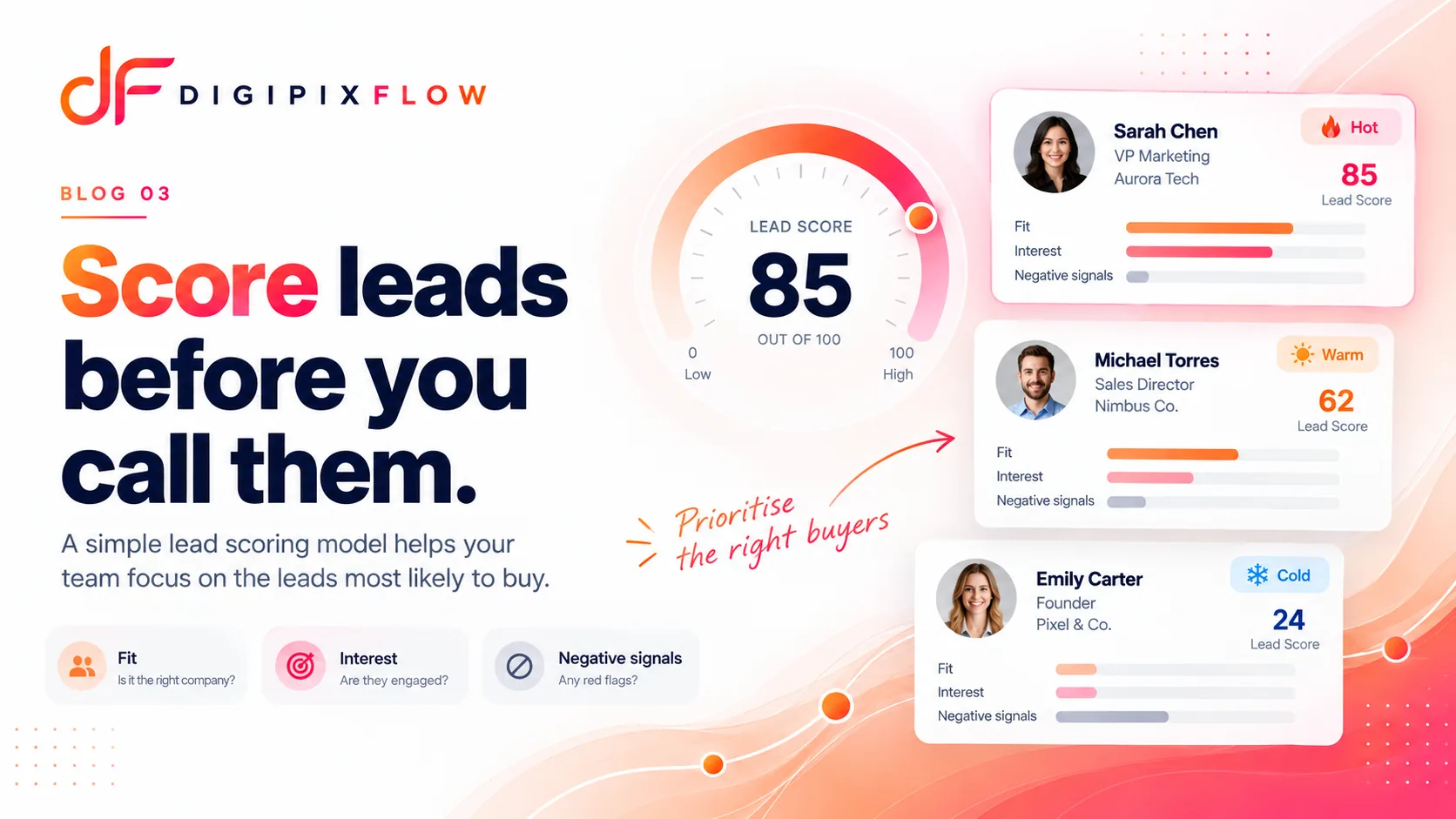
Assignment decides who works a lead. A lead scoring model decides how urgently. The two work well together: hot leads can go straight to your fastest closers, while cold leads join the normal round robin and a nurture sequence.
How to tell if your assignment is working
Review a few numbers every month, by rep and by source:
- Average time from lead arriving to lead assigned
- Average time from assignment to first contact
- Share of leads contacted within your target
- Open leads per rep
- Leads won and lost, with lost reasons
If one rep's contact rate is far lower, look at their workload before you look at their effort. If one source converts poorly for everyone, the problem is probably the campaign, not the reps.
Common lead assignment mistakes
- Assigning to a group chat. A WhatsApp group of reps is a notice board, not an owner.
- Too many rules. If a rep can't guess who will get a lead, the rules are too complicated.
- No fallback. Every rule set needs a final catch-all so no lead stays unassigned.
- Ignoring leave and holidays. Leads keep arriving during Diwali week. Make sure someone is on the rota.
- Reassigning silently. Tell both reps, and the customer if needed, when a lead changes hands.
A simple setup for a team of 3 to 10 reps
- List your lead sources and decide which ones, if any, need a specialist.
- Create one rule per specialist need: source, product, city or language.
- Send everything else round robin across the team, with weights for new joiners.
- Set a capacity limit per rep and skip people who are on leave.
- Agree on a first-contact target and an escalation path to the manager.
- Write down when a lead is reassigned, and review the numbers monthly.
How DigiPix Flow assigns leads
In DigiPix Flow, assignment rules run in the order you set and can look at a lead's source, status, score, company name, email and segment. Each rule can send leads to one person, round robin across a team, weighted towards chosen reps, or to whoever has the fewest open leads. If no rule matches a lead from a form, an ad or IndiaMART, a fallback shares it in turns, returns it to its last owner or leaves it in the Unassigned queue, and a lead that stays unassigned too long raises an escalation.
The new owner gets a notification in the app and a follow-up task, unless you've switched the task off. Follow-up tracking then works to a two-minute assignment target and a thirty-minute first-contact target. A manager can reassign a lead with a reason, and follow-ups and tasks can be reassigned in bulk when someone is away.
Give every lead one owner, fast
Good lead assignment isn't complicated. Share leads fairly by default, add rules only where a specialist is needed, cap workloads, and agree on what happens when a lead isn't touched in time.
Want every lead routed to the right rep automatically? Talk to an expert and we'll set up assignment rules around your own team.
Frequently asked questions
What is the best way to assign leads to sales reps?
For most small teams, round robin is the best default because it shares leads fairly and keeps results comparable. Add rules only where a lead needs a specific person, such as a language, product, city or large budget, and finish with a fallback so every lead still gets an owner.
What is round robin lead assignment?
Round robin gives each new lead to the next rep in a fixed rotation, so everyone gets an equal share. A weighted version lets some reps take more, for example two leads for every one a new joiner gets. Good setups skip reps who are on leave.
How quickly should a lead be assigned?
Within minutes of arriving. Many teams aim for an owner within two minutes and a first contact attempt within 30 minutes during working hours. Leads that arrive at night can be assigned straight away and worked first thing in the morning.
When should a lead be reassigned to another rep?
Reassign when the owner is on leave or has left, when they miss the first-contact target by a wide margin, when the customer asks for someone else, or when the lead belongs with a specialist team. Keep the full history so the new owner can pick up where things stopped.
How many leads should one sales rep handle?
It depends on your sales cycle, but set a clear limit on open leads per rep, for example around 40 for a rep who also does field visits. Above that, follow-up quality drops. Least-loaded assignment helps by sending new leads to whoever has the fewest open ones.
Should returning customers go to the same rep?
Usually, yes. A rep who already knows the customer can pick up the relationship faster. Check new enquiries for duplicates so repeat buyers are recognised and routed back to their previous owner rather than treated as new leads.
Put this guide into practice
See qualification questions, lead scoring and follow-up built into one workspace, using your own lead sources.